
Here at SkySlope, our goal is to make it easier to meet the demands of your job as quickly as possible so you can get back to doing what you love -- spending time with your clients. The pre-open escrow tool allows you to expedite your sale by automatically sending an email to your title or escrow contact when you're entering your Listing into SkySlope!
Note: The Pre-Open Escrow feature is currently only available in the following states: AZ, CA, HI, MT, NV, UT, & WA.
STEP-BY-STEP GUIDE
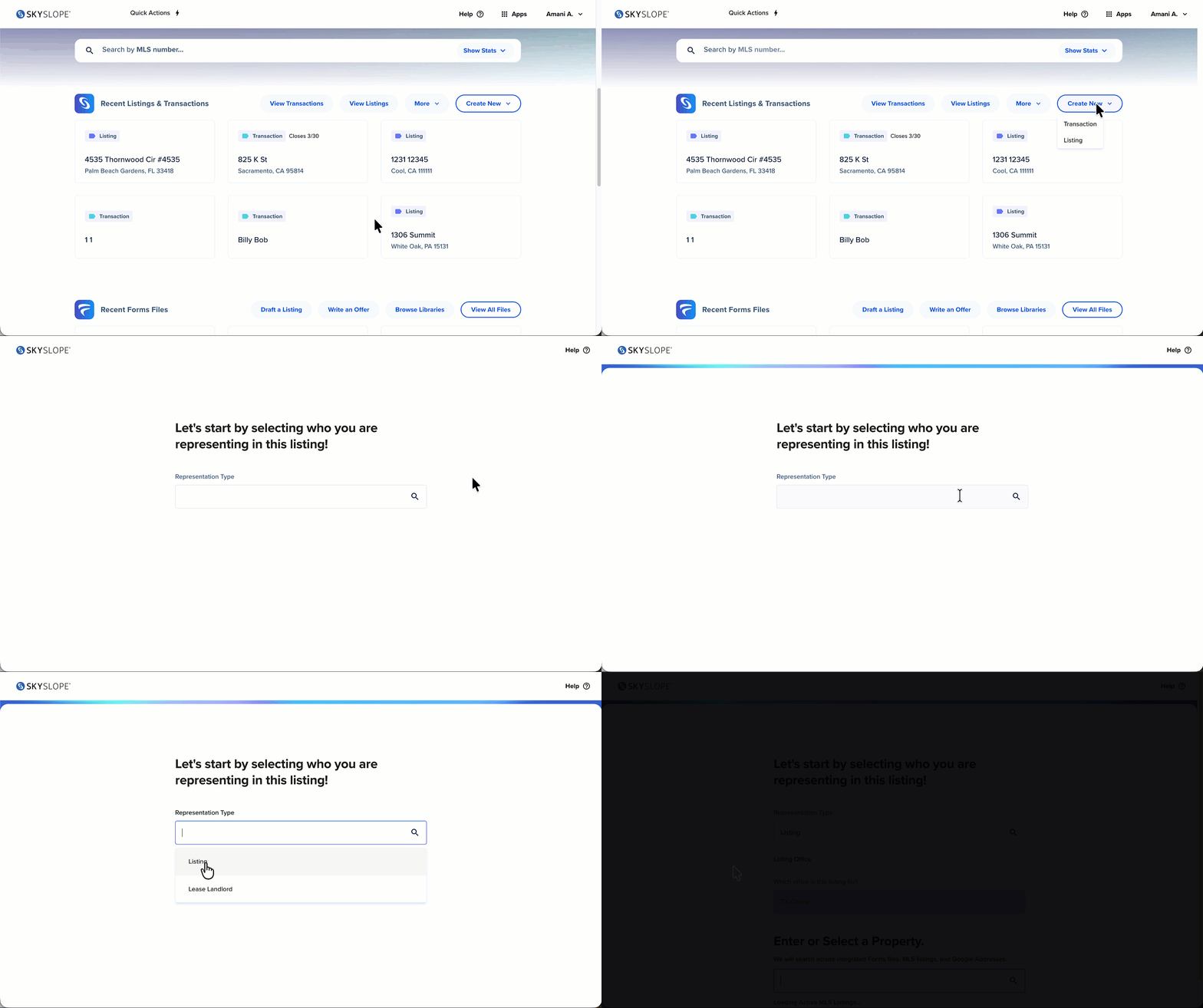
1. From the SkySlope home page, you will create a Listing file. Skye will guide you through the Listing process and help you submit the necessary details. Click here for more information about creating a Listing in SkySlope.
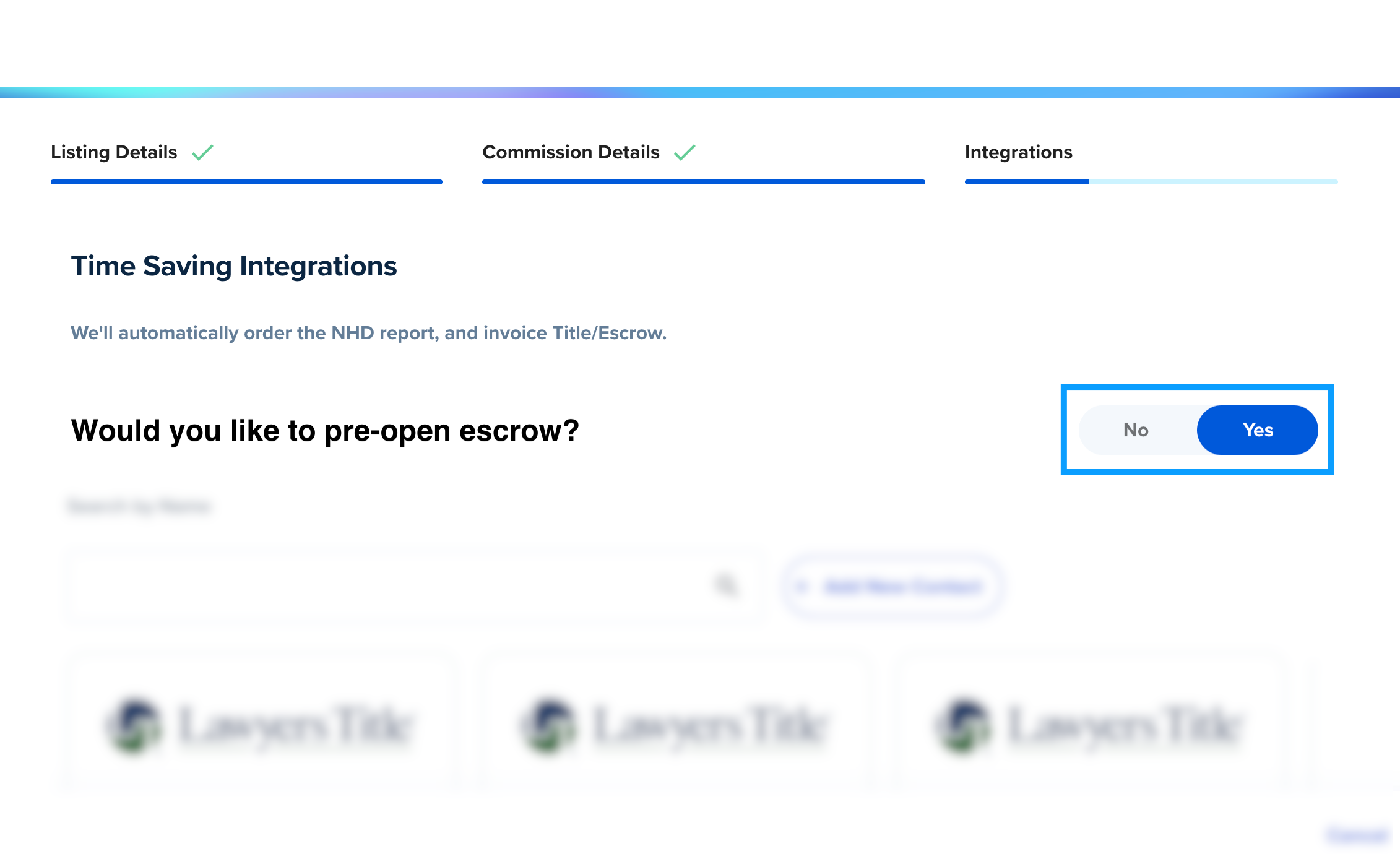
2. After entering the required listing details, such as the property address, listing price, and seller contacts, you will have the option to utilize some time-saving integrations. Keep an eye out for this prompt: Would you like to pre-open escrow? Select Yes to get started.
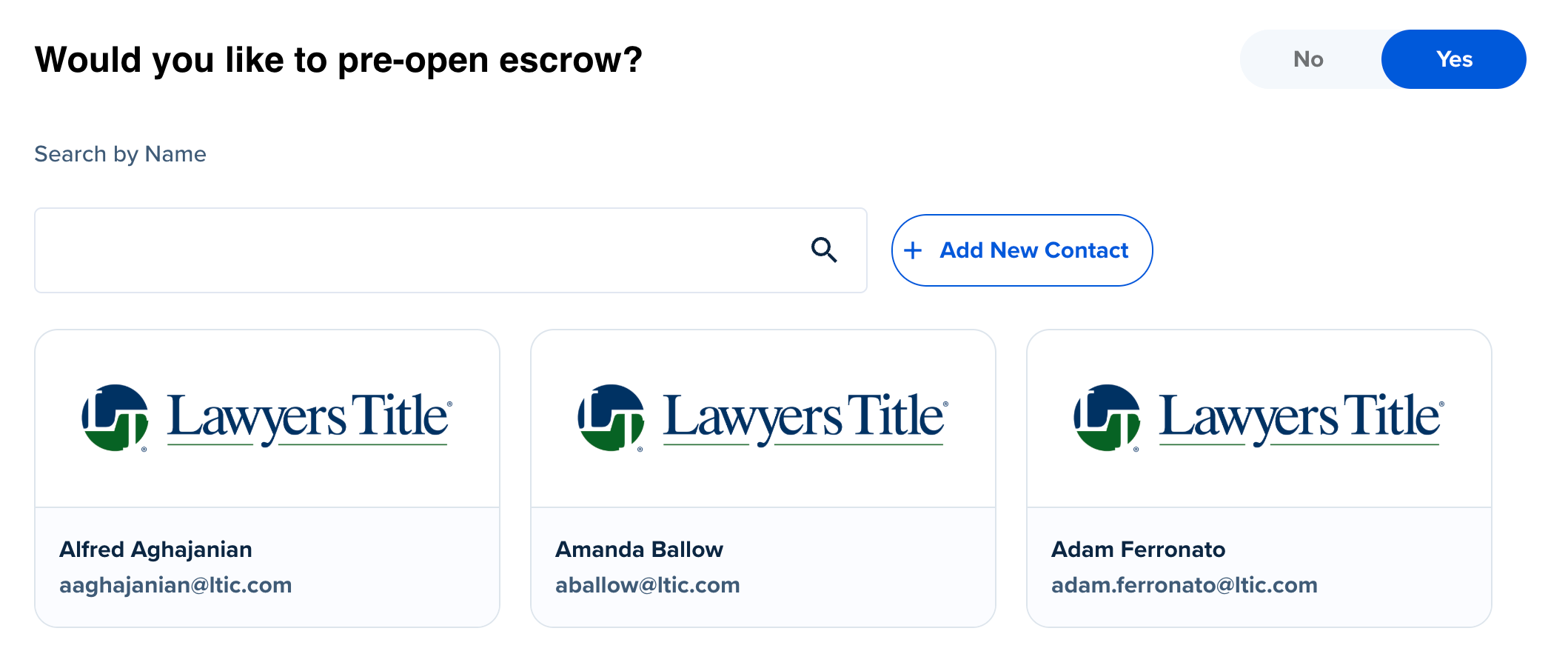
3. To pre-open escrow, start by searching for your preferred title/escrow contact. You will see matching results from our collection of contacts from Fidelity National Financial (FNF) title companies in available regions. Select a contact from the search results, or click + Add New Contact to manually enter the name and email address of your preferred contact. Then click Continue.
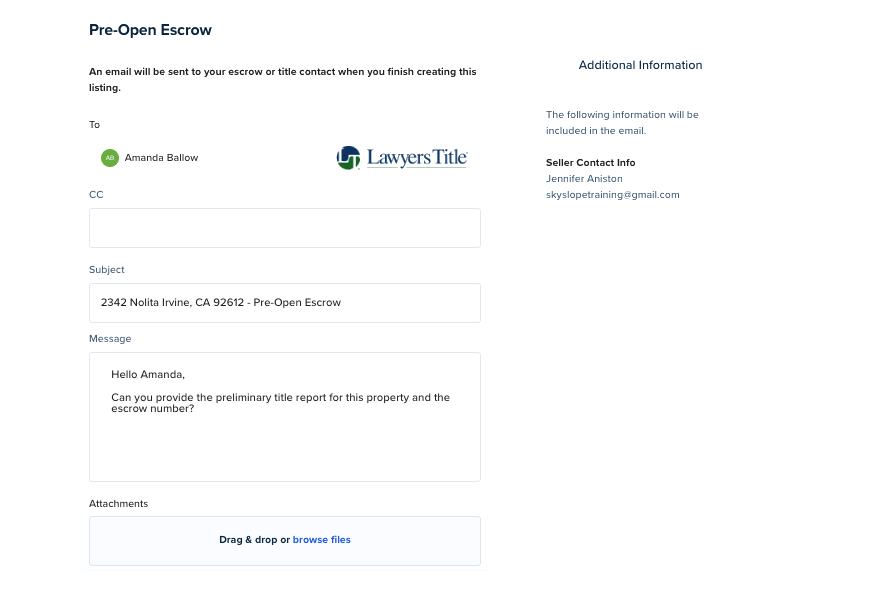
4. On the next screen, the Pre-Open Escrow email module will open. In this module, you can:
- Add/Edit recipients (such as adding your Transaction Coordinator or Admin as a CC)
- Edit the email message
- Add any necessary attachments (such as the Purchase Contract)
Once you're satisfied with your email message, click Continue.
5. After ensuring all of the required listing details have been provided, your Listing file will be created and your Pre-Open Escrow email will be sent!
If you need to refer back to the email later, you can always go to the Log tab of your Listing file to find the email. Click on the blue EML OUT link to open the contents of the email.

If you have any other questions about using the Pre-Open Escrow tool in SkySlope, please reach out to our 24/7 Support team at support.skyslope.com!
Was this article helpful?
That’s Great!
Thank you for your feedback
Sorry! We couldn't be helpful
Thank you for your feedback
Feedback sent
We appreciate your effort and will try to fix the article