

Welcome to SkySlope! This guide walks you through everything you need to hit the ground running — from logging in for the first time to building out your account and getting your team set up. We've kept it focused and straightforward so you can work through it at your own pace and launch with confidence.
Customize Your Brokerage Account
Before you and your agents can start creating files in SkySlope, there are a few account setup steps to knock out first. Let's take them one at a time.
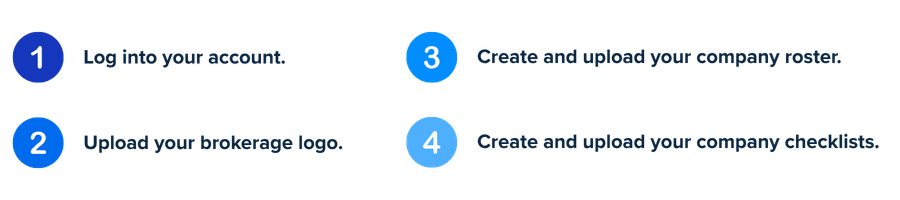
Step 1—Access Your Account
First things first, ensure you're able to log into your account. Your "Welcome to SkySlope" email includes your login email address and a link to create your password.
SkySlope Login Page: app.skyslope.com (Bookmark this page for easy access!)
If you don't see your welcome email in your inbox, no worries — just head to the SkySlope login page and click Forgot Password to set up your password and get in.
Step 2—Upload Your Brokerage Logo
The company logo can be uploaded from the primary broker's account. Follow the instructions to upload your logo. For the best results, we recommend these dimensions for your logo: 428 x 144 pixels.
Step 3—Build and Upload Your Agent Roster
To quickly create accounts for all of your agents and admins, you will add all of their names, email addresses, and account roles to your company roster. Click here to review a sample roster, and click here to view account roles available in SkySlope. Once you've created your roster, follow the instructions for uploading multiple users to your roster.
Step 4—Create and Upload Your Checklists
Your SkySlope Checklists are the backbone of your account. Agents will rely on the Checklist to know which documents are required to submit for compliance review based on their transaction type. You will build out your company checklists for each transaction type (listing sold, lease, commercial sale, etc.) inside of SkySlope. Click here to view a sample Checklist spreadsheet. Here are some resources to help you get started:
Become a SkySlope Expert
Want your whole office running like a well-oiled machine? SkySlope's agent and admin trainings have you covered. Dig in at your own pace and turn your team into SkySlope aficionados in no time.
| Type | Topics | Duration | Register |
| Admin/Broker Training | Navigating SkySlope, using Quick Audit, managing office Checklists, Admin tools, and other resources to get started. | 22 min | Watch on-demand |
| Agent Training | Create files for Seller and Buyer-side workflows and submit documents for compliance review. | 48 min | Watch on-demand |
| SkySlope Forms Training | Prepare and execute forms, create files, and submit documents for compliance review. | 63 min | Watch on-demand |
Additional Resources
Use the links below to quickly access how-to resources for agents, admins, and for our other products.
- Agent Resources — Getting Started for Agents
- Admin Resources — Admin Hub
- SkySlope Forms Resources — Browse SkySlope Forms tutorials
- DigiSign Resources — Browse DigiSign tutorials
- Printable Handbooks — Review printable handbooks
Was this article helpful?
That’s Great!
Thank you for your feedback
Sorry! We couldn't be helpful
Thank you for your feedback
Feedback sent
We appreciate your effort and will try to fix the article