
You can now calculate seller net sheet estimates directly from the Forms file page! The Net Sheet Calculator automatically pulls real-time property tax and loan balance data, allowing you to enter details like the sales price, broker fees, and other costs to instantly generate a net-at-close estimate. Once calculated, you can preview the net sheet as a PDF and add it to your Forms file in just one click.
Click to jump to a section:
- Access the Net Sheet Calculator
- Using the Net Sheet Calculator
- Generate Net Sheet PDF
- Share Net Sheet via Email
Access the Net Sheet Calculator
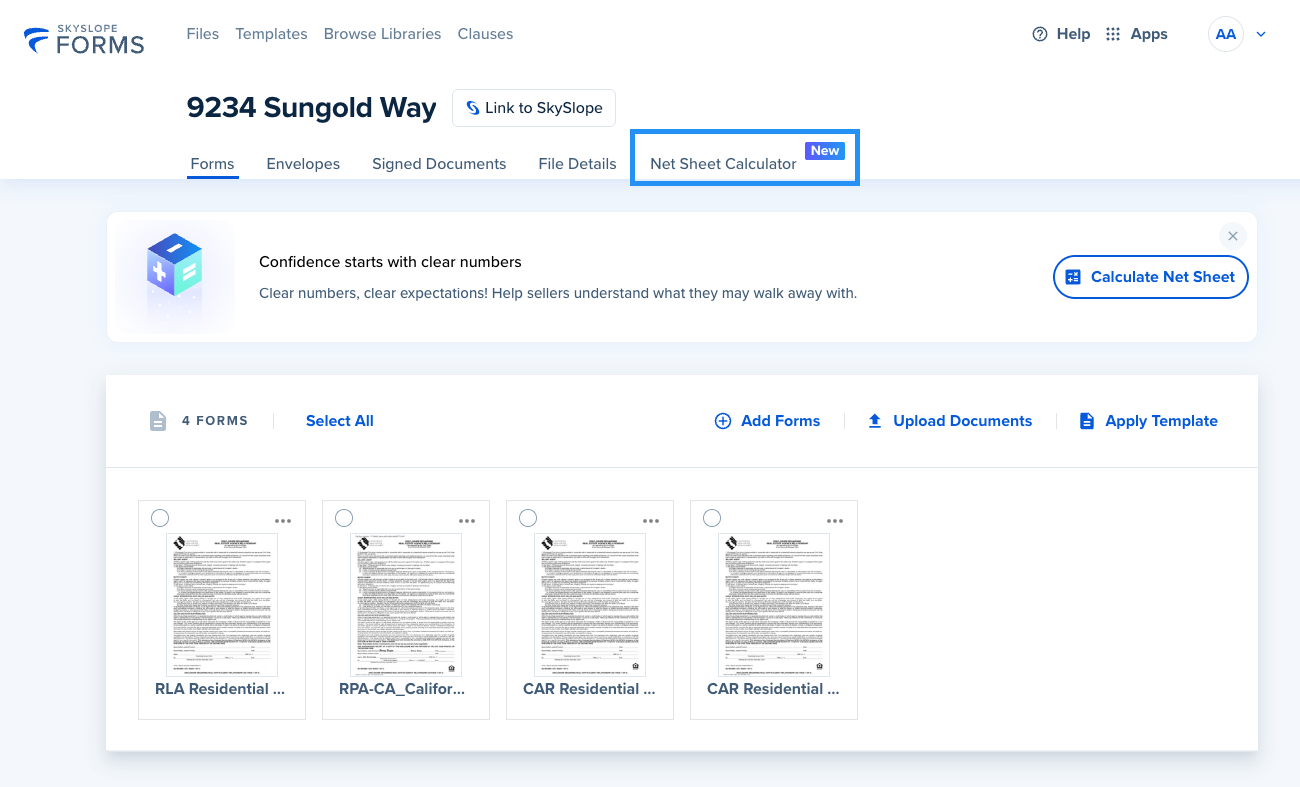
To access the Net Sheet Calculator, start by opening your Seller file in SkySlope Forms. Locate the Net Sheet Calculator tab near the File Details tab, towards the top of the page.
Using the Net Sheet Calculator
Here is the Net Sheet Calculator. We will combine details from your listing forms and real-time property tax and loan balance data to generate the seller's net profit based on various listing prices. Use the calculator to easily adjust variables—such as sales price, commission, or fees—to show sellers how different scenarios affect their net proceeds.
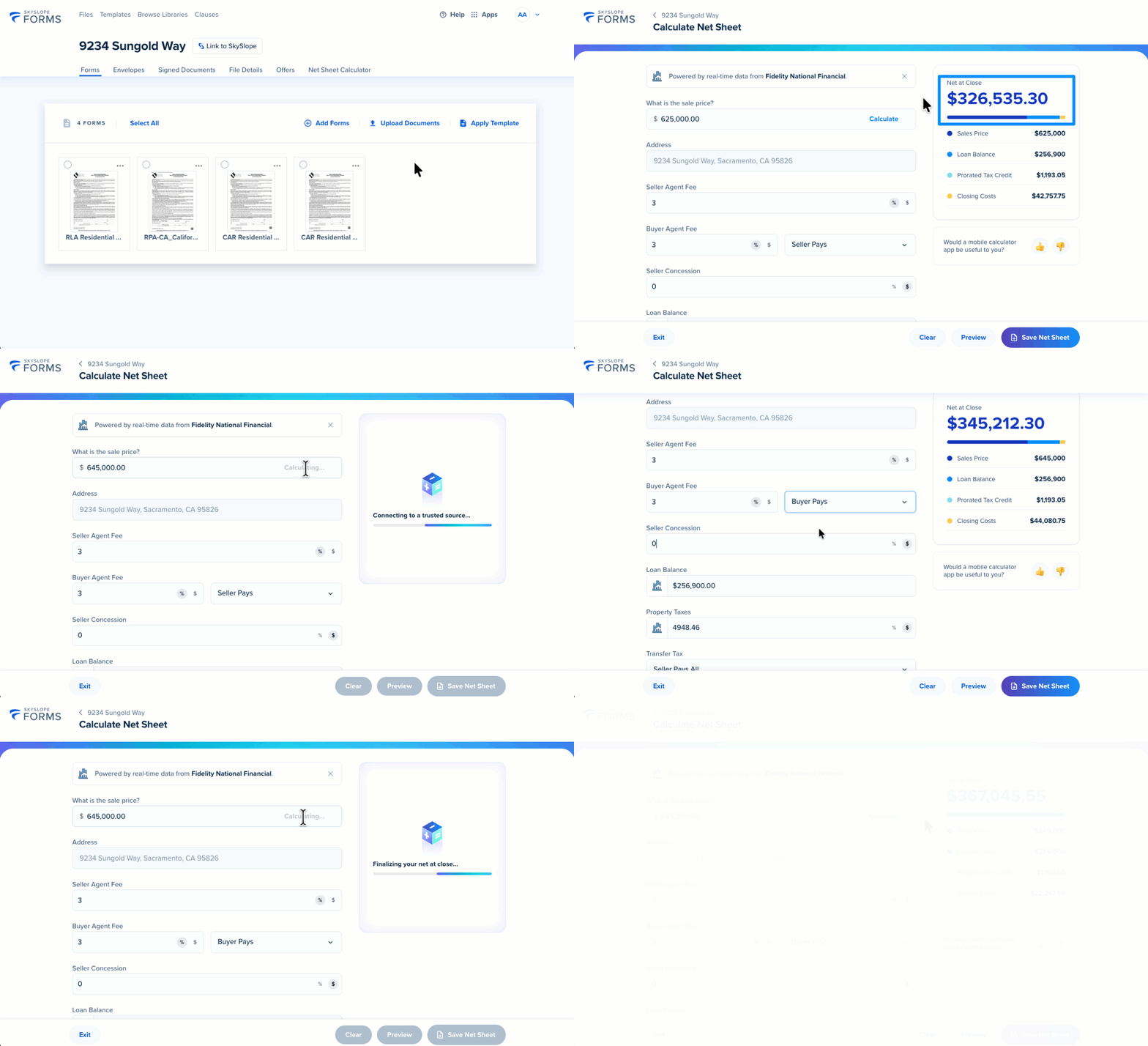
Faster planning and clearer seller insights with Net Sheet estimates

Generate Net Sheet PDF
Because we're in the business of saving time, you can easily generate your Net Sheet as a PDF and add it to your SkySlope Forms file in just one click. After editing the applicable details, click Save Net Sheet in the bottom right corner.
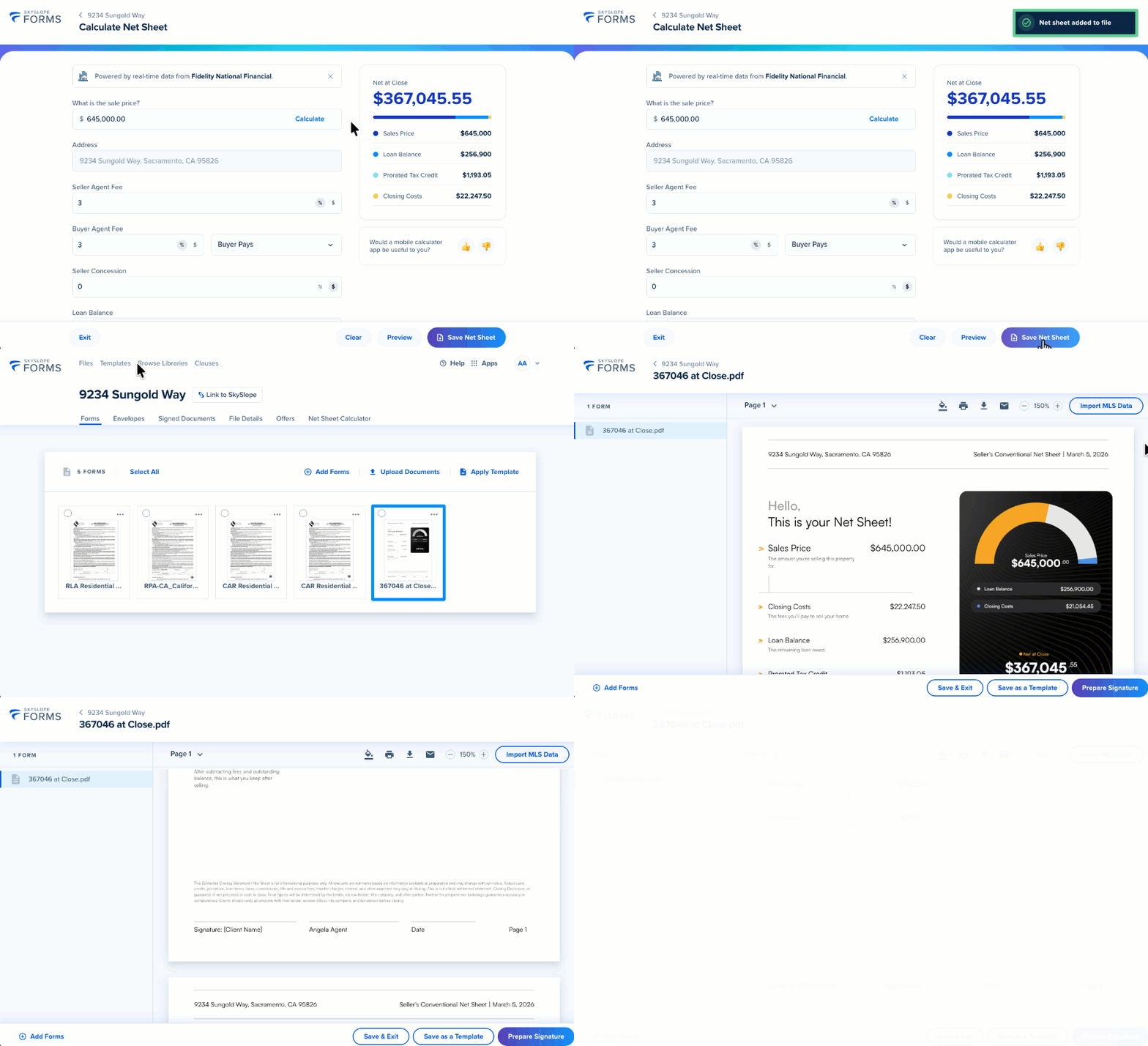
The generated Net Sheet is even ready to be signed by you and your client!
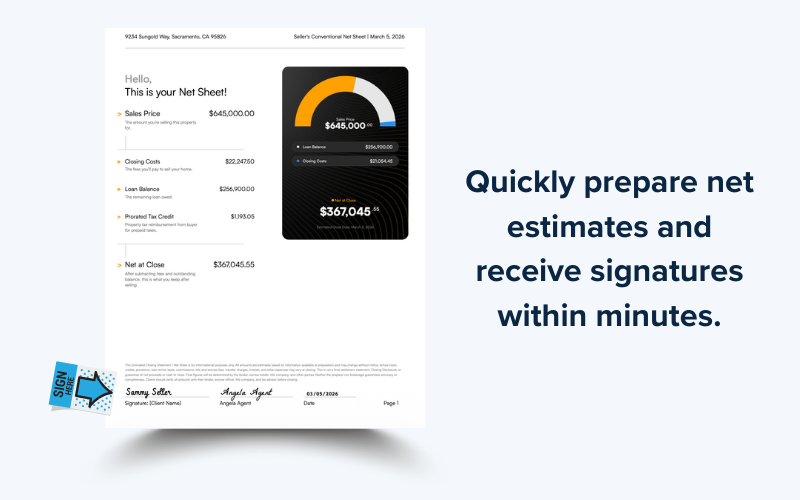
Return to the Net Sheet Calculator in SkySlope forms to make changes and generate a new net sheet anytime.
Share Net Sheet via Email
You can also share your net sheet via email with anyone. From the bottom toolbar, click Share By Email.

The net sheet is automatically generated as a PDF and attached to the email. When the email modal opens, you can add your recipient(s). Feel free to customize the subject line and email message, or send the default message as is. Then click Send!

If you have any questions about using the Net Sheet Calculator in SkySlope Forms, please reach out to our Support team. Happy SkySloping!
Was this article helpful?
That’s Great!
Thank you for your feedback
Sorry! We couldn't be helpful
Thank you for your feedback
Feedback sent
We appreciate your effort and will try to fix the article