
Admins and Brokers can leave private notes on the Commission tab when necessary. A private note cannot be viewed by the Agent; it's only visible to Admins and Brokers.
Private Commission Notes
Follow these steps to record a private commission note:
- Locate the Commission Instructions section.
- Use the text box to enter any applicable commission notes.
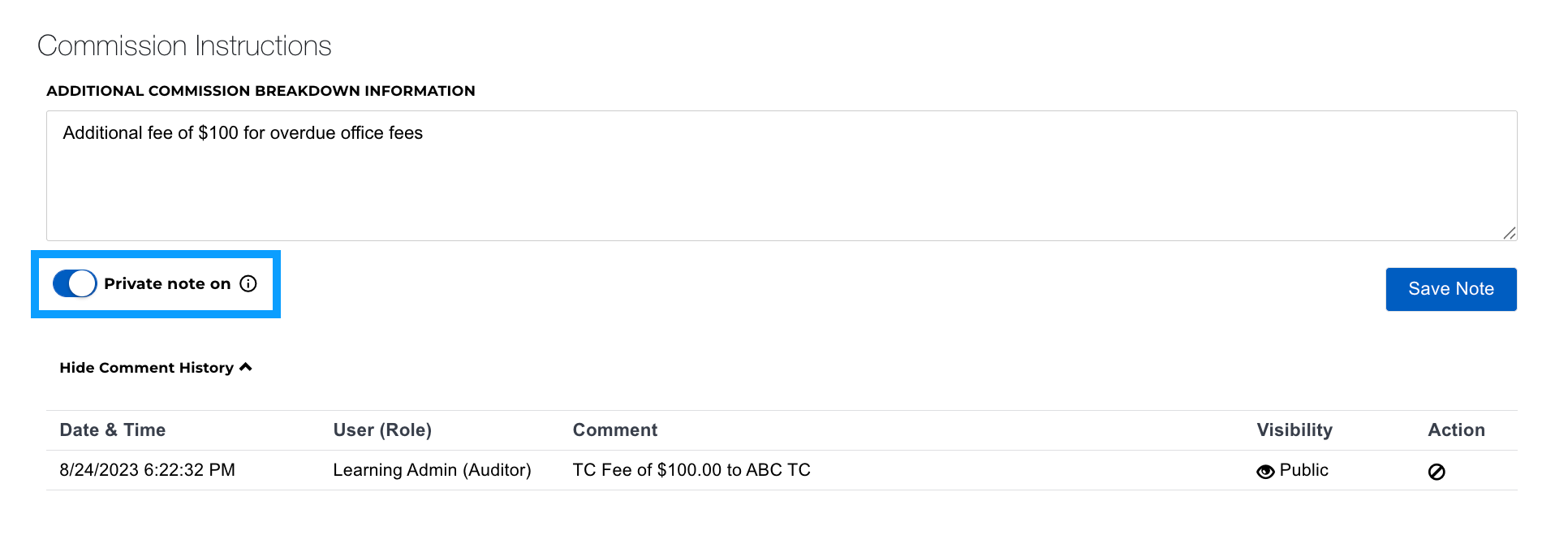
- To leave a private comment, turn the toggle switch to Private Note On (blue).
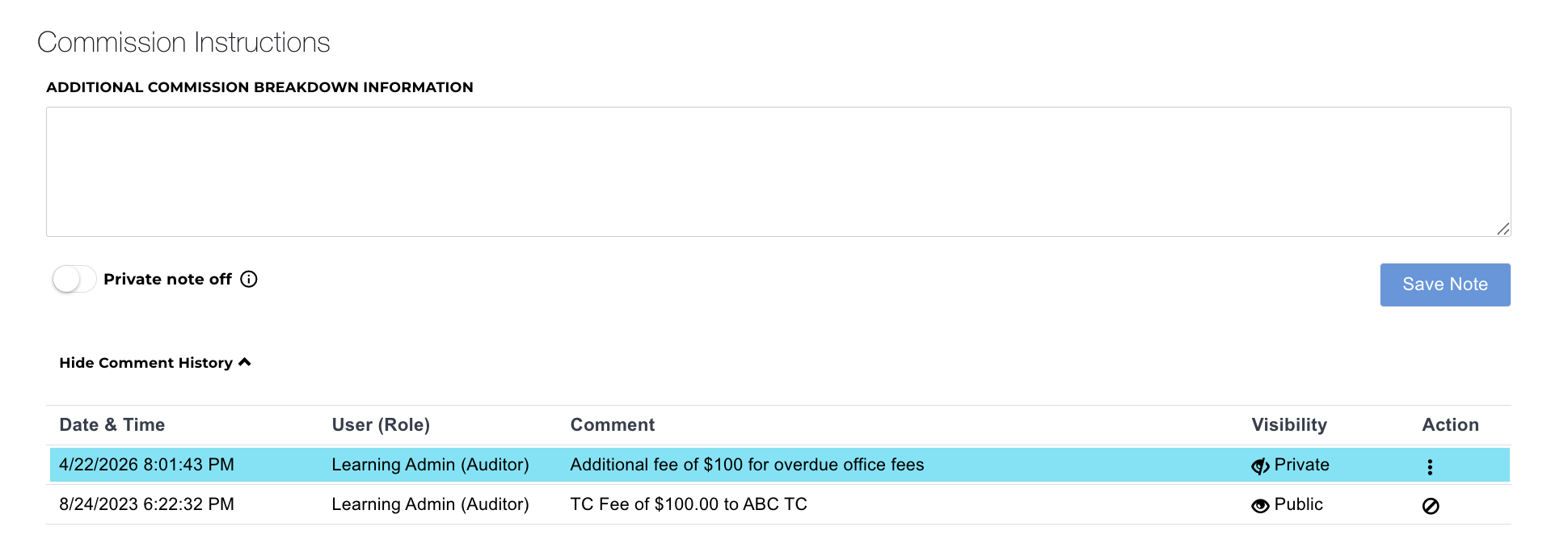
- Click Save Note.
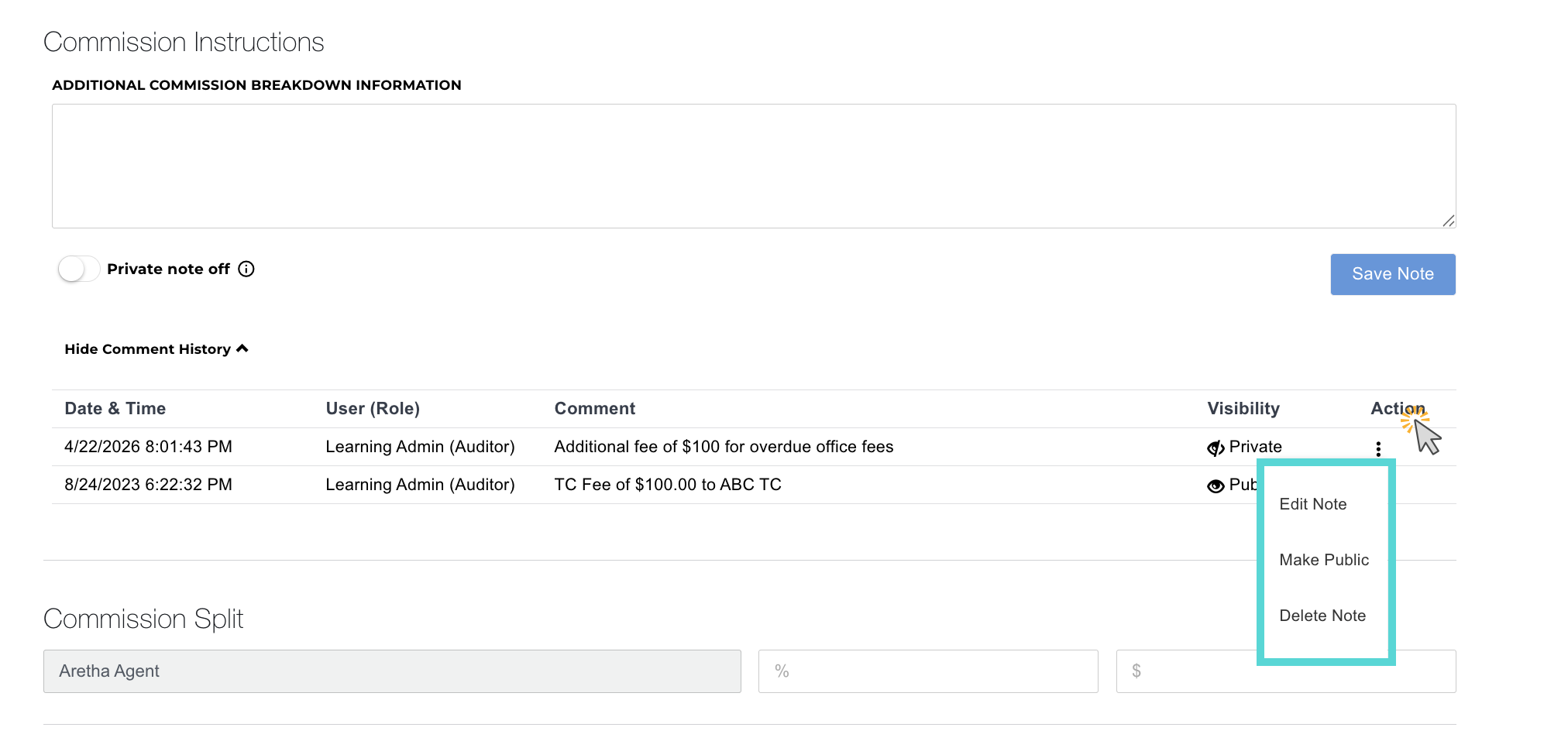
- Once saved, you can use the actions menu to edit a comment, make a comment public, or delete the comment.
Private Note Toggle Switch:
Private Note Posted:
Private Note Actions:
Was this article helpful?
That’s Great!
Thank you for your feedback
Sorry! We couldn't be helpful
Thank you for your feedback
Feedback sent
We appreciate your effort and will try to fix the article